
Organize Your Tasks and Projects in One Notion Planner
Already built, zero setup. Due Today, Upcoming and Overdue sit on one dashboard, so you reach today's tasks first instead of deciding which one to start. Projects, meetings, goals and a time tracker are one click away.
- Due Today, Upcoming and Overdue on one page
- One-click New Task, Project and Meeting
- Projects with progress and days left
- A time tracker with your billable total
Instant access • Notion template, works on the free plan • No account with us • Pay once, no subscription

A Notion template for your workspace
9 Linked Areas. One Dashboard. One Download.
The Home dashboard and its areas, filled in with sample tasks, a sample project and a meeting.



What a Real Task Manager Looks Like
Home shows today. Everything else is one click from it, and every area links back to your tasks.
Tasks and Due Dates
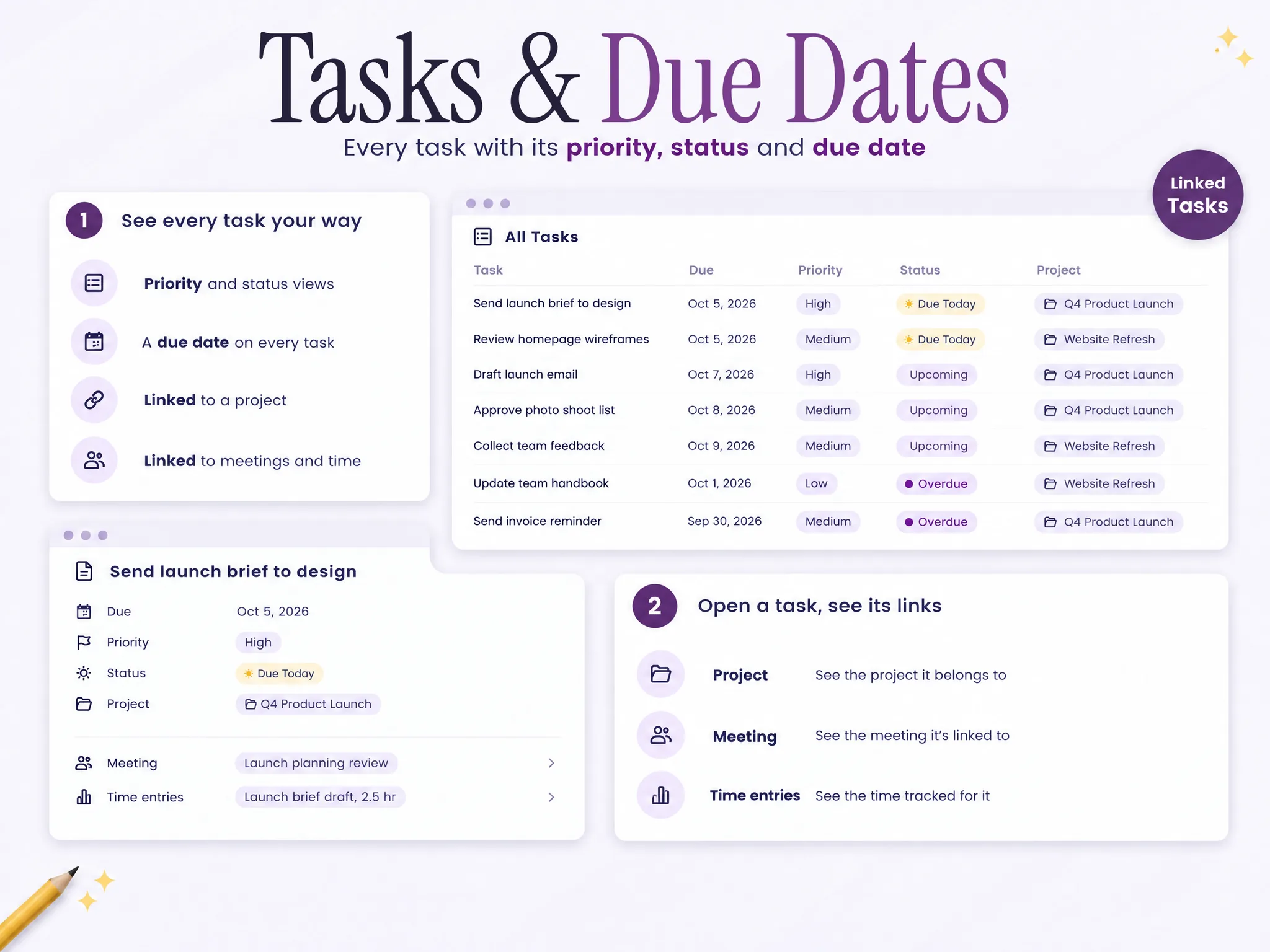
Priority and status views with due dates, each task linked to its project, meeting and time entries.
Projects and Timeline
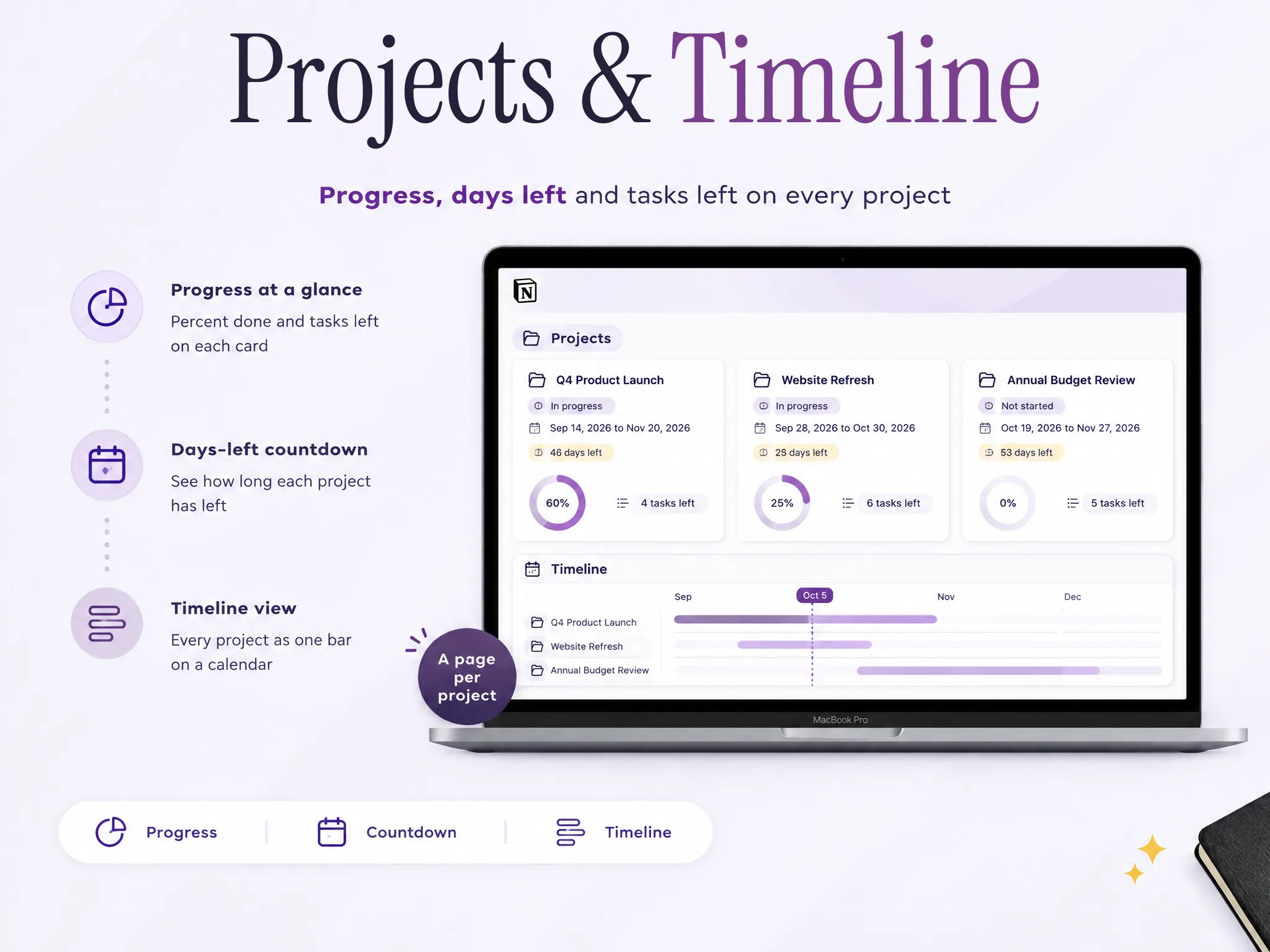
Project cards with progress, a days-left countdown and tasks left, a timeline view, and a page per project.
Meetings and Notes
A meeting list and calendar, with a notes template for attendees, agenda, summary and action items.
Goals and Time Tracker
Quarterly goals with progress bars and a SMART goal template. Time entries per task, with an hourly rate and your billable total.
Contacts, Resources and Feedback
People grouped by role, a gallery of the apps and links you use, and the feedback you received with a follow-up date.
Setup Guide and Sample Data
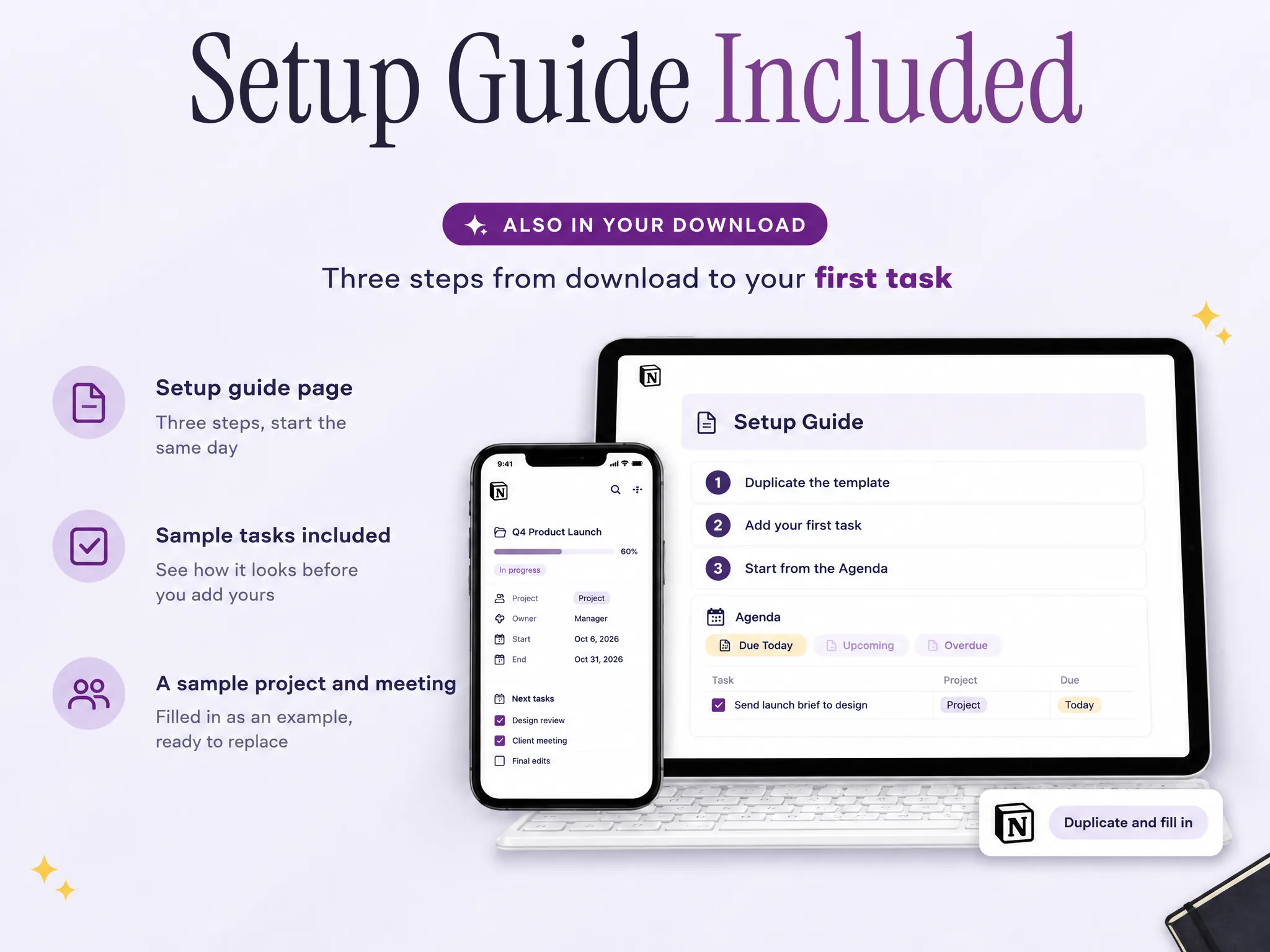
A setup guide page inside the template, plus sample tasks, a project and a meeting, so you never start from a blank page.
9 Linked Areas. Everything Listed.
Home Dashboard
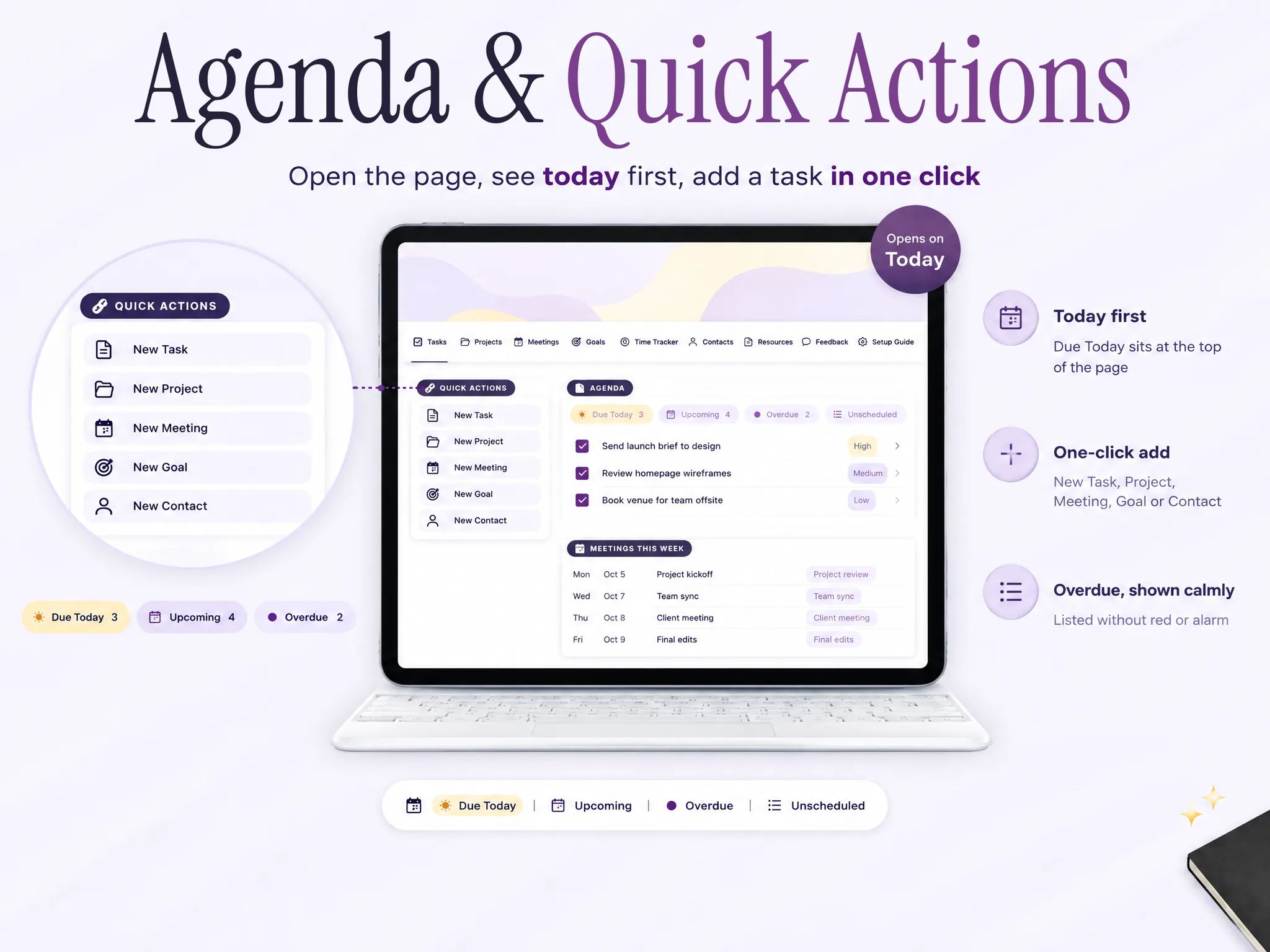
Quick Actions (New Task, Project, Meeting, Goal, Contact), the Agenda (Due Today, Upcoming, Overdue, Unscheduled), projects and goals at a glance, meetings this week, a weekly timeline and a monthly calendar.
Tasks, Projects and Meetings
Tasks with priority, status and due dates; projects with progress, days left and a timeline; meetings with a notes template. All linked to each other.
Goals, Time Tracker, Contacts, Resources and Feedback
Quarterly goals with a SMART goal template and an action plan. Time entries with an hourly rate and a billable total. People grouped by role, the apps and links you use, and the feedback you received.
Also Included
Everything in the Notion Task Manager
What you see when you open each part of the template, filled in with sample data.
The Agenda and Quick Actions
Home opens on the Agenda. Due Today comes first, Upcoming shows what is next, Overdue has its own list apart from today, and tasks with no date wait in Unscheduled. Next to it, Quick Actions add a New Task, Project, Meeting, Goal or Contact in one click, already in the right place.
Tasks and Due Dates
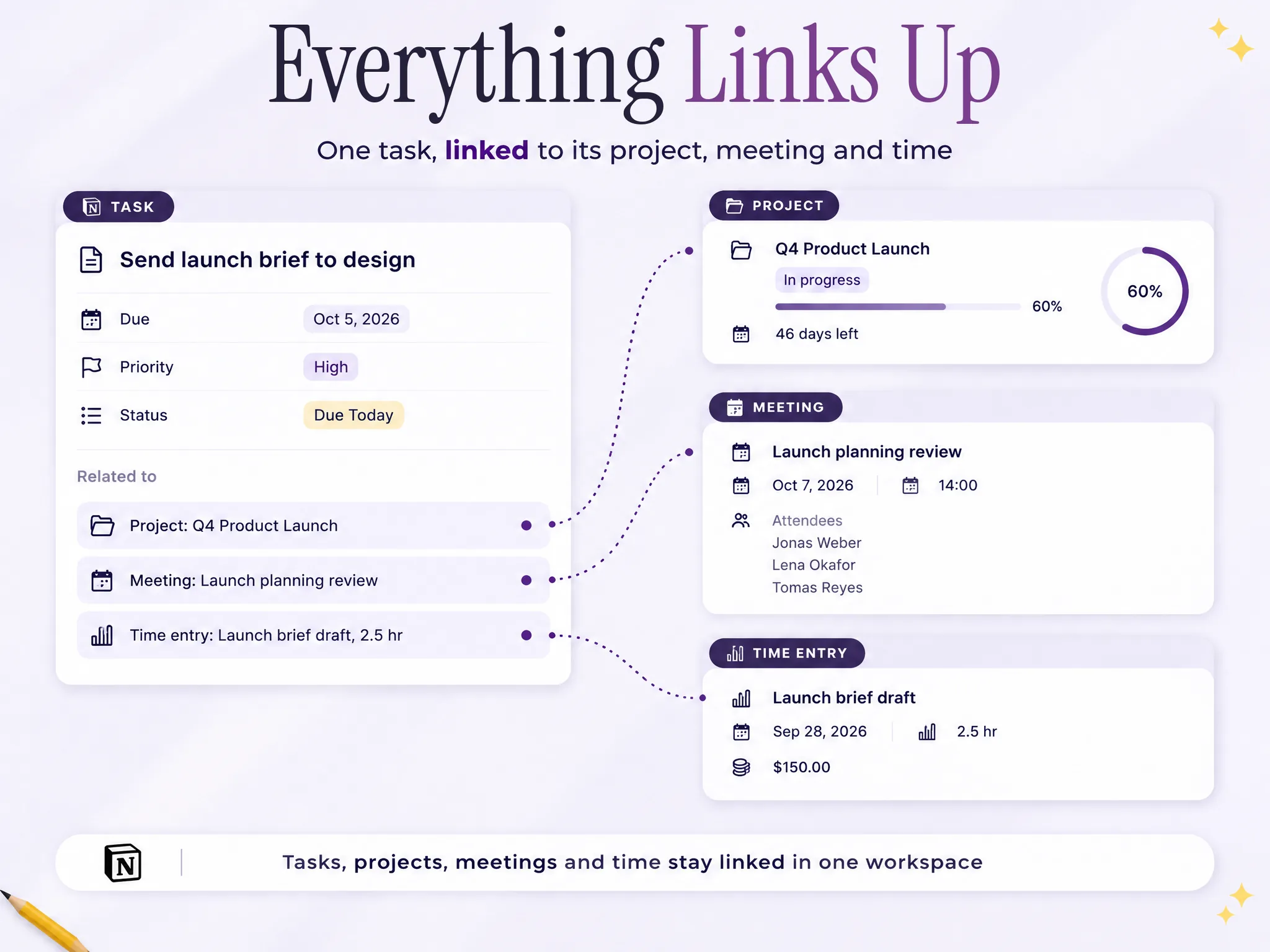
Every task carries its priority, status and due date, with priority and status views to see them your way. Open a task and you see the project it belongs to, the meeting it came from and the time tracked for it.
Projects and Timeline
Each project card shows its progress, the days left to its deadline and the tasks still open. The timeline view lays your projects out by date, and every project has its own page with its tasks and notes.
Meetings and Notes
Meetings in a list and on a calendar, with this week's meetings on Home. Each one opens a notes template for attendees, agenda, summary and action items, and the action items link to your tasks.
Goals for the Quarter
Quarterly goals with a progress bar each, a SMART goal template to write them, and an action plan checklist that turns a goal into the next steps.
Time Tracker
Log a start and an end for a task, a project or a meeting. Today, Weekly and Monthly views add it up, and with your hourly rate filled in you see the billable total.
Contacts, Resources and Feedback
The people you work with, grouped by role with email, phone, company and notes; a gallery of the apps and links you use; and the feedback you received, with a follow-up date and an action plan.
What Planner Lovers Are Saying
More than 100,000 happy customers. real reviews from real planners


9 Linked Areas, One Download, Yours Forever
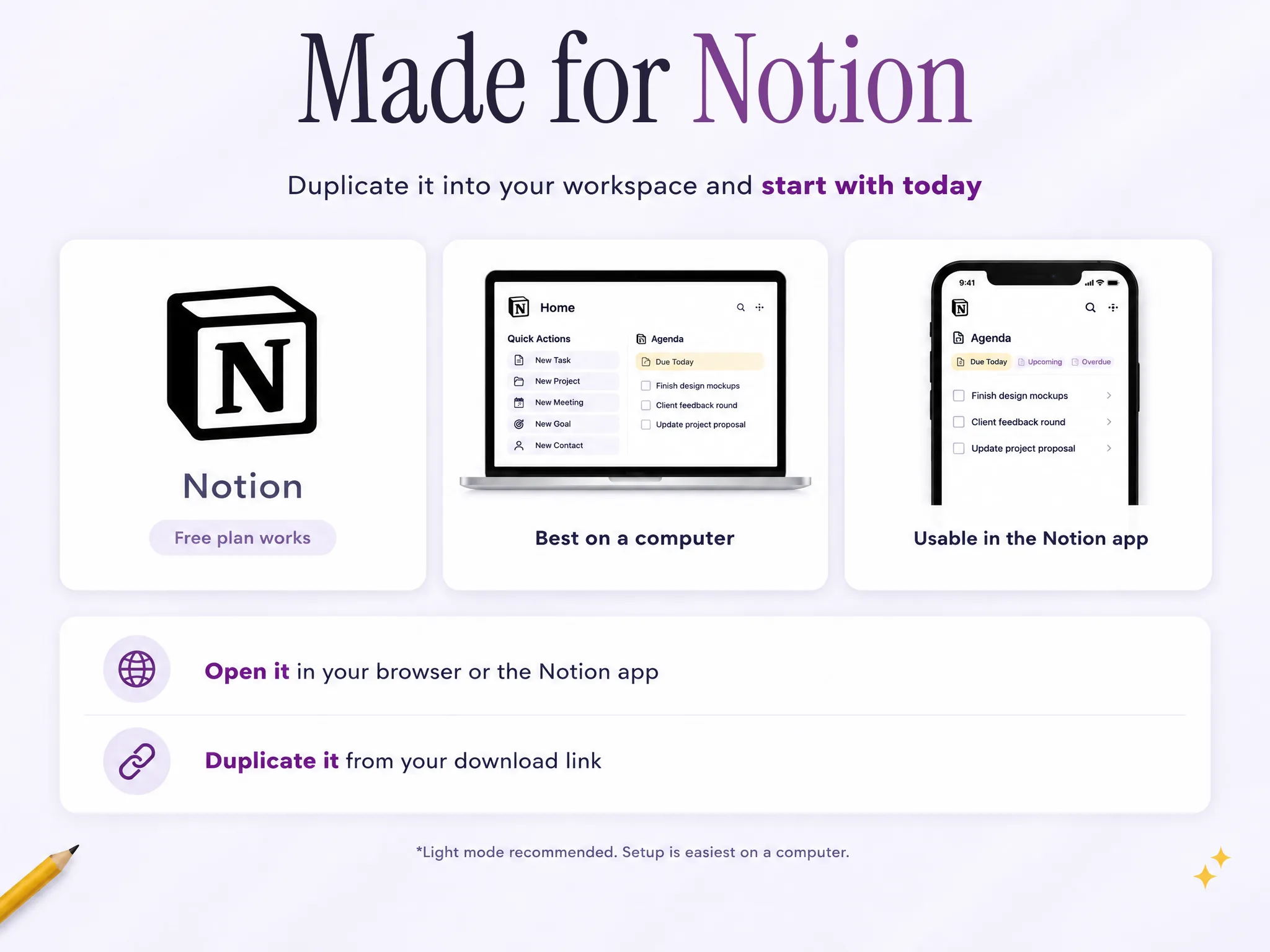
Works on the free Notion plan. Duplicate it once, and it lives in your own workspace, with no account with us.
START TODAY
Your download arrives by email right after purchase. Duplicate the template and add your first task in minutes.
PAY ONCE, KEEP IT
One payment, no subscription. The template sits in your own Notion, nothing to renew, no account with us.
NOTHING TO BUILD
Properties, views and relations come set up and linked. You add tasks, not structure, and there is nothing to maintain.
How It Works
No setup session, no databases to build
Duplicate
Add the template to your Notion from the link
Open Home
The Agenda shows Due Today, Upcoming and Overdue
Add a Task
One click on New Task in Quick Actions
Start at the Top
Work from Due Today; the rest waits in Upcoming
Home Dashboard + 9 Linked Areas. One-Time Payment.
One Notion template with everything on this page, the Home dashboard, its 9 linked areas, the setup guide page and the sample data. Pay once.
- Home Dashboard With the Agenda
- Quick Actions for One-Click New Tasks
- Tasks, Projects and a Project Timeline
- Meetings, Goals and a Time Tracker
- Contacts, Resources and Feedback
- Setup Guide Page and Sample Data
- Works on the Free Notion Plan
Instant access • Notion template • One-time payment
This is a digital product with immediate access after purchase. No refunds on the Notion Task Manager or any order bump. The optional upgrade offered after checkout is the one exception, with a 90-day money-back guarantee.
Why Choose the Notion Task Manager
Open any task and the project it belongs to, the meeting it came from and the time tracked for it are right there. Home shows today, and every area links back to your tasks.
Frequently Asked Questions
What to know before you buy
Because there is nothing to build or maintain. The databases, views and links are already set, so you add tasks, not structure. Home opens on the Agenda, Due Today comes first, and a new task is one click from Quick Actions. Overdue tasks sit in their own list apart from today, so the first thing you see is what you can still do today.
Some Notion basics help, duplicating a page and editing text. The setup guide page walks you through duplicating the template, adding your first task and starting from the Agenda, and the sample data shows every page filled in. There is no video tutorial; the setup guide page and the sample data are the guide. Setup is easiest on a desktop or laptop. On your phone, the Notion app is good for checking today's tasks and adding new ones. The template is designed in light mode.
You get your download by email right after purchase, a PDF with the Notion duplicate link. Open the link, click Duplicate, and the template lands in your Notion workspace. The free plan is enough. You pay once and the template is yours, in your own Notion, no account with us, no subscription, nothing to renew.
No. The template adds no automations, reminders or notifications beyond what Notion itself does, and it does not repeat tasks on its own. Meetings and due dates live in the template's own calendar views; there is no calendar sync built in. It shows what is due today, next and late every time you open Home.
One Notion template, a Home dashboard (Quick Actions, the Agenda with Due Today, Upcoming, Overdue and Unscheduled, projects and goals at a glance, meetings this week, a weekly timeline and a monthly calendar) and 9 linked areas, Tasks, Projects, Meetings, Goals, Time tracker, Contacts, Resources, Feedback and a setup guide page. Sample tasks, a sample project and a sample meeting are filled in as an example. It is built for one person's work: you can share pages the way Notion allows, but there are no team or client features built in.
Because this is a digital product with immediate access after purchase, we don't offer refunds on the Notion Task Manager or any order bump. The one exception is The Complete Notion Life OS Vault, an optional post-checkout upsell, which carries a 90-day money-back guarantee. If the template won't open, duplicate or work for you, write to us and we'll help you sort it out.